
 Book a call with us (30 Minute Meeting)



 Krishna Mishra
 03 September 2026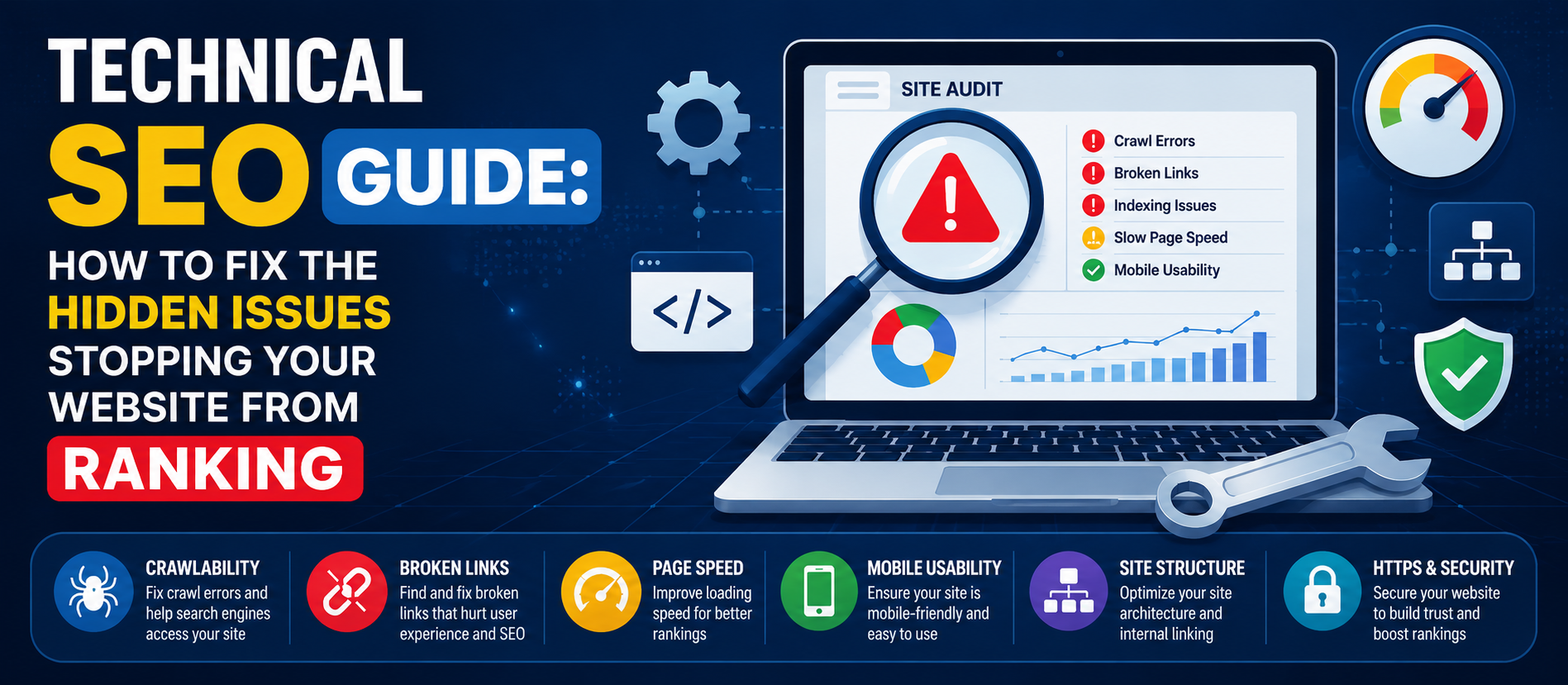
Technical SEO Guide: Everything You Need to Know in 2026
A simple Technical SEO Guide to fix hidden website issues and improve your search engine visibility fast.
Most website owners focus on keywords and content when they
think about SEO. That makes sense content is what visitors read. But there's
another side of SEO that works quietly in the background, and it often decides
whether your website even gets a fair chance to rank. That side is called
technical SEO.
If you've ever wondered why a well-written page still
doesn't show up on Google, the answer is usually hiding in your site's
technical setup, not your writing. This technical SEO guide breaks down what
actually matters, why it matters, and how you can start fixing it today — even
if you're not a developer.
What Is Technical SEO Really?
Technical SEO is the practice of optimizing your website so
that search engines can find, understand, and index your pages without any
trouble. Think of it as the foundation of a house. You can paint the walls and
decorate the rooms (that's your content), but if the foundation is weak, the
whole structure is at risk.
Google uses automated programs called crawlers to visit
websites and understand what's on each page. Technical SEO makes sure those
crawlers can move through your site easily, read your pages correctly, and
trust that your site is fast, safe, and mobile-friendly. When any of this
breaks down, your rankings suffer — no matter how good your content is.
Why Technical SEO Deserves Your Attention
Business owners often skip technical SEO because it sounds
complicated. But ignoring it usually causes more damage than any other SEO
mistake. Here's why:
- A slow
website loses visitors before they even see your content
- Broken
pages and links waste the crawl budget Google gives your site
- Poor
mobile experience directly hurts your rankings, since Google ranks the
mobile version of your site first
- Duplicate
or poorly structured pages confuse search engines about what to rank
In short, technical SEO isn't optional. It's the groundwork
that lets everything else — content, backlinks, keywords — actually work.
Core Elements of a Strong Technical SEO Guide
1. Website Speed and Core Web Vitals
Page speed affects both user experience and rankings. Google
measures this through Core Web Vitals — a set of metrics that track loading
speed, interactivity, and visual stability.
What you can do:
- Compress
images before uploading them
- Use a
fast, reliable hosting provider
- Remove
unnecessary plugins or scripts
- Enable
browser caching
Tools like Google PageSpeed Insights or GTmetrix can show
you exactly where your site is slowing down.
2. Mobile-Friendliness
More than half of all web traffic today comes from mobile
devices. Google follows a mobile-first approach, meaning it primarily looks at
your mobile site to decide your rankings — even for desktop searches.
Check that your site:
- Adjusts
properly to different screen sizes
- Has
buttons and menus that are easy to tap
- Doesn't
have text that's too small to read without zooming
3. Crawlability and Indexing
If search engines can't crawl your website properly, your
pages won't show up in search results at all. This is where a lot of hidden
problems live.
Key checks:
- Make
sure your robots.txt file isn't accidentally blocking important pages
- Submit
an updated XML sitemap through Google Search Console
- Fix
broken internal links
- Avoid
orphan pages that have no internal links pointing to them
4. Site Architecture and URL Structure
A clean site structure helps both users and search engines
understand how your pages connect. Keep your URLs short, readable, and
organized around topics.
For example, a URL like yoursite.com/services/seo-services
is far easier for Google (and humans) to understand than a string of random
numbers and characters.
5. HTTPS and Website Security
Google confirmed years ago that HTTPS is a ranking factor.
If your website still runs on HTTP, it's time to switch. Beyond rankings, it
builds trust — visitors are far less likely to leave a site that shows a
security warning in their browser.
6. Structured Data (Schema Markup)
Structured data helps search engines understand the context
of your content — whether it's a product, a review, an event, or an FAQ. Adding
schema markup can help your pages appear as rich results in search, like star
ratings or FAQ dropdowns, which improves click-through rates.
7. Fixing Duplicate Content and Canonical Tags
Duplicate content confuses search engines about which
version of a page to rank. Canonical tags tell Google which page is the
"original" version, avoiding the split of ranking signals across
multiple URLs.
8. Handling Redirects Correctly
Broken redirects or long redirect chains slow down crawling
and waste your website's crawl budget. Always use 301 redirects for permanent
page moves, and regularly audit your redirect list to remove outdated ones.
A Simple Technical SEO Checklist to Get Started
If all of this feels like a lot, start small. Here's a
simple order to follow:
- Run a
full site audit using Google Search Console
- Fix
crawl errors and broken links first
- Improve
page speed on your top-performing pages
- Confirm
your site passes the mobile-friendly test
- Add or
update your XML sitemap
- Check
for duplicate content and set canonical tags
- Add
schema markup to key pages
- Recheck
HTTPS setup across your entire site
Doing this once isn't enough. Technical SEO is not a one-time task it needs regular monitoring, especially after redesigns, migrations, or big content updates.
Final Thoughts
Technical SEO might not be the most exciting part of digital marketing, but it's one of the most important. Without a solid technical
foundation, even the best content strategy will struggle to get the visibility
it deserves.
Start with the basics. Speed, mobile-friendliness,
crawlability, and security then build from there. Small, consistent
improvements add up over time, and search engines reward websites that stay
clean, fast, and easy to navigate.
If auditing and fixing all of this on your own feels overwhelming, working with an experienced SEO team can save you months of guesswork. At Ksquare99 Web Services, our team regularly runs in-depth technical SEO audits for businesses across industries, helping them fix the issues holding their websites back and build a stronger foundation for long-term organic growth.
Frequently Asked Questions
1. What is technical SEO in simple terms?
Technical SEO is about making sure search engines can easily find, crawl, and understand your website. It covers things like site speed, mobile-friendliness, security, and clean site structure — not the content itself.
2. How is technical SEO different from on-page SEO?
On-page SEO focuses on content, keywords, and things like title tags and headings. Technical SEO focuses on what happens behind the scenes — crawling, indexing, speed, and site architecture. Both work together, but technical SEO is the foundation.
3. How do I know if my website has technical SEO issues?
Google Search Console is the easiest starting point. It shows crawl errors, mobile usability issues, and Core Web Vitals scores. Tools like Screaming Frog or PageSpeed Insights can dig even deeper.
4. Does technical SEO really affect rankings?
Yes. If Google can't crawl or load your pages properly, it won't rank them — no matter how good your content is. Site speed, mobile-friendliness, and HTTPS are all confirmed ranking factors.
5. How often should I do a technical SEO audit?
A full audit every 3 to 6 months is a good habit for most websites. You should also run one immediately after a site migration, redesign, or major content overhaul.