
 Book a call with us (30 Minute Meeting)




 Krishna Mishra
 23 November 2026
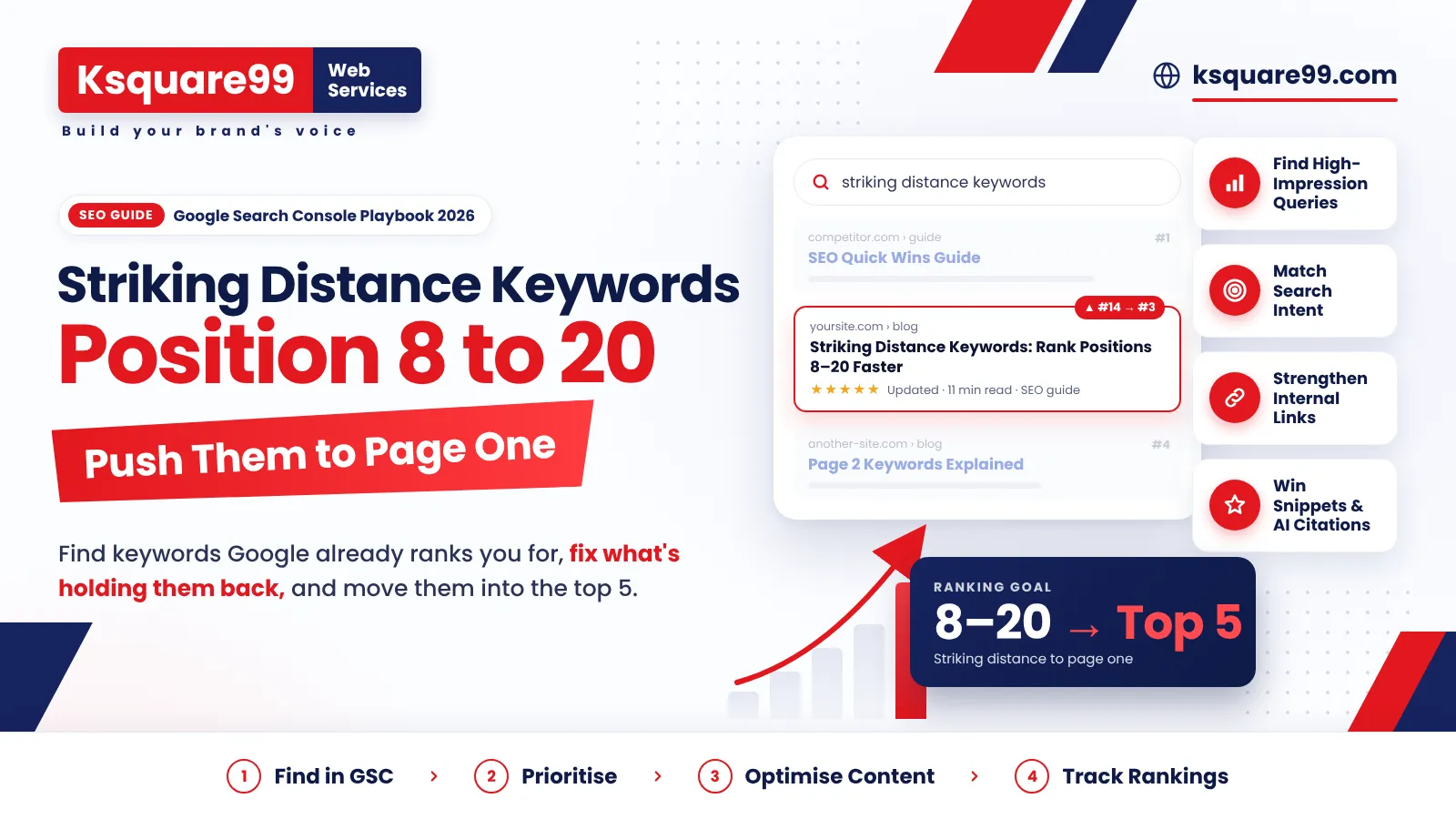
Striking Distance Keywords: Push Position 8–20 Rankings to Page One
Find the keywords Google already ranks you for in positions 8 to 20, diagnose why they are stuck, and use a proven playbook to move them into the top five.
Most SEO teams spend their energy chasing new keywords. New blogs, new landing pages, new topics. Meanwhile, a quiet goldmine sits untouched inside Google Search Console: the queries where your website already ranks between position 8 and 20.
Google has already decided your page is relevant for these searches. It shows your page to real people every day. The problem is that it shows it in a spot where almost nobody clicks. Close the gap of a few positions and the same page, the same topic and the same domain can start generating real traffic and leads.
These are called striking distance keywords, and in this guide we will show you exactly how to find them, how to decide which ones to work on first, and the step-by-step playbook our SEO team at Ksquare99 uses to move them onto the first page and into the top five.
1.) Page two gets almost no clicks - [Only about 0.63% of Google searchers clicked a result on the second page, and the #1 organic result earns roughly 10x the CTR of position #10. Source: Backlinko, analysis of 4 million Google search results.]
2.) AI Overviews also cite pages beyond the top 10 - [About 38% of pages cited in Google AI Overviews rank in the top 10, while roughly 26% rank between positions 11 and 100. Source: Ahrefs, March 2026 study of 863,000 keywords.]
Quick Answer: What Are Striking Distance Keywords?
Striking distance keywords are search queries for which your page already ranks just outside the high-click zone of Google, typically between positions 8 and 20. Because Google already considers the page relevant, targeted improvements such as better titles, deeper content, stronger internal links and clearer intent matching can move it to the top of page one far faster than ranking a brand-new page from scratch.
What Does “Position 8 to 20” Actually Mean?
There is no single official definition of striking distance. Different SEO tools and practitioners draw the line in different places:
| Definition used | Range | Why it is used |
|---|---|---|
| Classic definition | 11 – 20 | Keywords sitting on page two, just off page one |
| Extended definition | 11 – 30 | Includes page three for sites with smaller keyword footprints |
| Wide definition | 4 – 20 | Includes page-one keywords below the top three |
| Our recommended range | 8 – 20 | Covers the bottom of page one and all of page two, where clicks are lowest but movement is easiest |
We prefer 8 to 20 for a practical reason. Positions 8, 9 and 10 are technically on page one, but they behave almost like page two. Large click-through-rate studies have found that CTR at positions 8, 9 and 10 is nearly identical, which means moving from 10 to 8 alone barely changes traffic. The real gains only appear once a page breaks into the top five. So a keyword at position 9 needs the same strategic attention as a keyword at position 14.
Why Striking Distance Keywords Matter More in 2026
1. Page two gets almost no clicks
One of the largest organic CTR studies, based on millions of Google results, found that only around 0.63% of searchers clicked anything on the second page. The same research showed the first organic result receives roughly ten times more clicks than the result at position 10. In simple terms, a keyword at position 14 can have thousands of impressions and still send you close to zero visitors.
2. Page-one clicks are getting more expensive
AI Overviews, product grids, People Also Ask boxes and ads now take up more space above the organic results. A 2026 study comparing the same non-brand queries at the same positions found page-one organic results earned about 11% fewer clicks than a year earlier. When every position delivers less, being at position 3 instead of position 9 matters even more.
3. AI search pulls from deeper in the results
AI search visibility does not only belong to the top three. Ahrefs’ March 2026 study of 863,000 keywords found that about 38% of pages cited in Google AI Overviews rank in the top 10, while roughly 26% rank between positions 11 and 100. Pages sitting in striking distance are already in the pool Google draws from. Improving them improves your chances of being both ranked and cited.
4. It is the highest-ROI SEO work you can do
Creating a new page means waiting for indexing, building authority and hoping it ranks. A striking distance page has already passed those hurdles. You are not starting from zero, you are finishing a race that is already half-run.
Before You Begin: Read Your Search Console Data Correctly
Striking distance work lives and dies on Google Search Console (GSC) data, so it is worth understanding two things first.
Average position is an average, not a fixed rank. GSC records the topmost position your URL appeared in for each impression and averages it across all impressions. A query showing position 12 may actually be ranking 6 for some users and 18 for others depending on location, device and personalisation. Treat the number as a direction, not an exact spot.
The September 2025 data change. Around September 10–12, 2025, Google stopped supporting the “&num=100” search parameter that rank trackers and scrapers used to load 100 results at once. As a result, many websites saw impressions drop sharply and average position improve in GSC, even though real rankings had not changed. If you compare striking distance data across that period, you will see artificial shifts. For clean analysis, compare date ranges that both fall after mid-September 2025.
How to Find Keywords Ranking in Position 8 to 20 (Step by Step)
You do not need an expensive tool to start. Google Search Console is free and uses Google’s own data.
Step 1: Open the Performance report. Go to Google Search Console → Performance → Search results.
Step 2: Set the date range. Choose the last 3 months. This smooths out daily ranking fluctuations and gives enough impression data to make decisions.
Step 3: Turn on all four metrics. Click Total clicks, Total impressions, Average CTR and Average position so every column shows in the table.
Step 4: Add a position filter. In the Queries table, click the filter icon, choose Position, select “Greater than” and enter 7.9. Add a second Position filter with “Smaller than” 20.1. You now see only queries ranking between 8 and 20.
Step 5: Remove noise. Add an impressions filter (for example, greater than 100 for a mid-sized site, or greater than 30 for a smaller one). Exclude branded queries using a “Queries not containing” filter with your brand name.
Step 6: Map each query to its page. Click a query, then switch to the Pages tab to see which URL ranks for it. Note it down. If more than one URL appears for the same query, flag it as possible keyword cannibalisation.
Step 7: Export the list. Click Export → Google Sheets or Excel. This becomes your striking distance worksheet.
Pro tip: Run the same exercise at page level. Filter by a single important URL (for example, a service page), then look at all the queries it ranks for in positions 8 to 20. This often reveals sub-topics the page should cover but does not.
Tools like Semrush, Ahrefs or SE Ranking can add search volume and keyword difficulty to this list, but always use GSC as your source of truth for what Google is actually showing.
How to Prioritise: Not Every Striking Distance Keyword Deserves Your Time
A typical site can have hundreds of keywords in positions 8 to 20. Working on all of them at once is a recipe for scattered effort. Score each keyword against five criteria:
| Criteria | What to check | High priority signal |
|---|---|---|
| Impressions | How often Google shows you for it | High and stable impressions |
| Business value | Does the query lead to a service, product or enquiry? | Commercial or transactional intent |
| Current position | How close it is to the top five | Positions 8 – 14 usually move fastest |
| Intent match | Does your page actually answer what the searcher wants? | Page type matches the top-ranking results |
| Competition | Who is ranking above you? | Forums, thin pages or outdated articles above you |
A simple way to rank your list is to estimate the click opportunity:
Opportunity = Monthly impressions × (target CTR − current CTR)
For example, a query with 3,000 monthly impressions at 0.5% CTR that moves to a position earning around 8% CTR would gain roughly 225 extra clicks a month. These numbers are directional; CTR varies by SERP layout, so treat them as a way to compare keywords, not as a traffic promise.
Start with the top 10 to 20 keywords by opportunity and business value. Finish those before moving to the next batch.
Why Is Your Page Stuck at Position 8 to 20? Diagnose Before You Fix
Every stuck page has a reason. Guessing wastes time, so diagnose first. A structured SEO audit usually reveals the cause within a few hours.
| Symptom | Likely cause | What to do |
|---|---|---|
| High impressions, very low CTR, position 8 – 10 | Title and meta description are not compelling | Rewrite the title tag and meta description |
| Top results are guides but your page is a service page (or vice versa) | Search intent mismatch | Align the page format with the SERP, or create a separate page for that intent |
| Competitors cover sub-topics you skip | Content depth gap | Add missing sections, examples, data and FAQs |
| Two or more of your URLs swap positions for the same query | Keyword cannibalisation | Consolidate, redirect or clearly differentiate the pages |
| Page has few internal links pointing to it | Weak internal authority | Add contextual internal links from relevant, strong pages |
| Page loads slowly or shifts on mobile | Poor page experience | Fix Core Web Vitals and mobile layout issues |
| Content is accurate but competitors have far more referring domains | Authority gap | Earn a few relevant, high-quality backlinks to that page |
The Striking Distance Optimization Playbook: 10 Proven Tactics
1. Rewrite the title tag and meta description for the click
For keywords at positions 8 to 10, the title is often the fastest lever. Place the main query near the beginning of the title, add a clear benefit or angle (a year, a number, a specific outcome), and keep it within roughly 55 to 60 characters. Google’s own guidance says titles should give a descriptive, helpful summary and avoid exaggeration, so avoid clickbait. Rewrite the meta description to answer the query directly and give a reason to click.
2. Match search intent by studying the live SERP
Search the keyword in an incognito window and study the top five results. Are they guides, comparison pages, service pages, product listings or videos? What questions do they answer? What format do they use? If Google is rewarding “how-to” guides and your page is a sales page, no amount of keyword placement will fix it. Match the format first.
3. Close the content gap and add information gain
List the sub-topics the top-ranking pages cover that your page does not, then add them. But do not stop at copying. Google’s helpful content guidance rewards original information and perspectives not already available elsewhere. Add your own process, real examples, original screenshots, pricing ranges, comparison tables or expert commentary. This is what makes a page worth ranking above the others. Customer reviews and real user stories also add first-hand experience; our guide on UGC content strategy for business growth explains how to collect and use them.
4. Use the query naturally in key places
Make sure the exact striking distance query, or a very close variation, appears in the H1 or an H2, in the first 100 words, and in at least one subheading. Use related terms and entities naturally throughout the copy. This is not about keyword stuffing; it is about making relevance obvious to both readers and search engines.
5. Format for answers, featured snippets and AI Overviews
Add a concise, 40 to 60 word answer directly below the heading that matches the query. Use question-based H2s, numbered steps, short paragraphs and comparison tables. This answer-first structure improves readability, increases the chance of winning a featured snippet, and makes your content easier for AI Overviews, ChatGPT, Perplexity and Gemini to extract and cite.
6. Strengthen internal linking
Internal links are one of the most underused striking distance tactics. Find pages on your site that already rank well or receive traffic on related topics, then add contextual links to your target page using descriptive anchor text that includes the target query or a close variation. Also make sure the page is no more than three clicks from the homepage.
7. Fix keyword cannibalisation
If two of your pages compete for the same query, Google may keep switching between them and neither will reach the top five. Decide which URL is the best fit, merge the useful content from the weaker page into it, and 301 redirect the weaker page or re-target it to a different intent.
8. Add relevant structured data
Schema markup does not directly boost rankings, but it helps search engines understand the page and can improve how your listing appears. Use Article or BlogPosting schema for guides, Service and LocalBusiness schema for service pages, Product schema for e-commerce stores, and BreadcrumbList across the site. Keep markup accurate and consistent with visible content, as Google's structured data guidelines require.
9. Improve page experience
Check the page in PageSpeed Insights and the Core Web Vitals report in GSC. Compress large images, remove unnecessary scripts, fix layout shifts and make sure buttons and text are easy to use on mobile. When two pages are equally relevant, the better experience can tip the balance. For deeper speed or layout problems, a website design and development review may be needed.
10. Build a few targeted backlinks
If your on-page work is strong but the pages above you have far more authority, earn a handful of relevant links pointing directly to the target page through digital PR, guest contributions, resource pages or partner mentions. For striking distance pages, a few quality links to the exact URL often matter more than many links to the homepage.
A note on freshness: Updating content genuinely helps. Changing the published date without substantially changing the content does not. Google’s helpful content guidance specifically warns against making pages look fresh when nothing meaningful has changed. Only update the date when the content update is real.
Positions 8 to 10 vs 11 to 20: Different Problems, Different Fixes
| Positions 8 – 10 (bottom of page one) | Positions 11 – 20 (page two) | |
|---|---|---|
| Main problem | Visible but not chosen | Barely visible at all |
| First fix | Title tag, meta description and snippet formatting | Content depth, intent match and internal links |
| Effort level | Low to medium | Medium to high |
| Typical goal | Move into the top 5 | Break onto page one, then push to the top 5 |
| Supporting work | FAQ sections, schema, answer-first intro | Content expansion, cannibalisation fixes, targeted backlinks |
How to Measure Results
Striking distance work should be measured, not assumed.
- Record a baseline. Before making changes, save the current position, impressions, clicks and CTR for each target query and page.
- Annotate the change date. Keep a simple change log noting what was updated and when.
- Give it time. Wait until Google recrawls the page. You can request indexing through the URL Inspection tool in GSC. Most changes show early movement within 2 to 6 weeks, but competitive queries can take longer.
- Compare like with like. Use the Compare feature in GSC to compare equal-length periods before and after the update, filtered to the specific page and query.
- Track clicks, not just position. The goal is more traffic and enquiries. A move from position 12 to 6 matters only if clicks follow.
- Watch for AI visibility. Check whether your page starts appearing as a cited source in AI Overviews or AI assistants like ChatGPT and Perplexity for the target query.
Common Mistakes to Avoid
- Chasing every keyword at once. Focus on a small batch with the highest opportunity.
- Keyword stuffing. Adding the query ten more times will not help and may hurt readability.
- Ignoring intent. If the page type is wrong for the query, optimisation will not fix it.
- Faking freshness. Changing dates without real updates goes against Google’s guidance.
- Over-editing pages already in the top three. Large changes to pages that already win clicks can cause rankings to drop. Work on your 8 to 20 keywords instead.
- Judging too early. Rankings often fluctuate for a few days after an update. Evaluate after several weeks, not several hours.
A 30-Day Striking Distance Sprint Plan
| Week | Focus | Key actions |
|---|---|---|
| Week 1 | Find and prioritise | Export queries in positions 8 – 20, remove branded terms, map queries to pages, score and pick the top 10 – 20 |
| Week 2 | Quick wins | Rewrite titles and meta descriptions, add answer-first intros and FAQ sections for keywords at positions 8 – 12 |
| Week 3 | Depth and structure | Expand content gaps, fix cannibalisation, add internal links and relevant schema for keywords at positions 13 – 20 |
| Week 4 | Authority and review | Request indexing, start targeted link outreach, record results and plan the next batch |
Repeat this sprint every month. Over time, it becomes a reliable growth engine that keeps feeding new keywords into the top five.
How Ksquare99 Helps Brands Turn Page-Two Rankings into Page-One Traffic
At Ksquare99, striking distance optimisation is a core part of how we grow organic visibility for our clients. Our team combines Search Console analysis, competitor SERP research, content optimisation and AI search visibility work to move the right keywords into the positions that actually drive leads.
Our approach typically includes:
- A detailed SEO audit to uncover striking distance keywords, cannibalisation and technical issues
- On-page and content optimisation through our SEO services and content marketing services
- Answer-first structuring and AI citation readiness through Answer Engine Optimization (AEO) and Generative Engine Optimization (GEO)
- Structured data implementation through our schema markup and entity SEO service
If your website has keywords stuck on page two, they are not lost opportunities. They are your fastest path to growth. Contact Ksquare99 for a striking distance keyword review of your website.
Frequently Asked Questions
What are striking distance keywords in SEO?
Striking distance keywords are search queries for which your website already ranks close to the top of Google, usually between positions 8 and 20. Because Google already sees the page as relevant, focused optimisation can move these keywords into the top five faster than ranking a new page.
Why target keywords in position 8 to 20 instead of new keywords?
Keywords in positions 8 to 20 already have Google’s trust and impressions, but they receive very few clicks. Improving them usually takes less time and effort than ranking a new page, and the traffic gain from moving into the top five can be significant.
How do I find striking distance keywords for free?
Open Google Search Console, go to Performance → Search results, select the last three months, enable all metrics, and apply position filters of greater than 7.9 and smaller than 20.1. Sort by impressions and exclude branded queries to find your best opportunities.
How long does it take to rank striking distance keywords on page one?
Most pages show early movement within 2 to 6 weeks after meaningful updates are recrawled. Competitive or high-volume keywords may take two to three months, especially if backlinks are needed.
Is updating the title tag enough to improve rankings?
For keywords at positions 8 to 10, a better title tag and meta description can improve CTR and sometimes rankings. For keywords at positions 11 to 20, title changes alone are rarely enough. These usually need deeper content, better intent matching and stronger internal links.
Do striking distance keywords help with AI Overviews and AI search?
Yes. AI Overviews often cite pages that rank on page one and beyond. Improving striking distance pages with clear answers, structured headings and trustworthy information increases the chances of being both ranked and cited by AI search tools.
Final Thoughts
The fastest SEO wins are often not new keywords, but the ones you already almost own. Keywords sitting in positions 8 to 20 have done the hard part: Google knows your page, trusts it enough to show it, and is waiting for a reason to move it up.
Find them in Search Console, prioritise by real business value, diagnose why each page is stuck, and apply focused fixes to titles, intent, content depth, internal links and authority. Measure the results, then repeat the process every month.
Do this consistently, and striking distance keywords stop being missed opportunities and become one of the most dependable growth channels in your SEO strategy.