
 Book a call with us (30 Minute Meeting)




 Krishna Mishra
 26 November 2026
Search Console Impressions But No Clicks: How to Fix CTR
Find out why Google shows your page but people scroll past it, check the real cause in Search Console, and use 8 practical fixes to win back organic clicks.
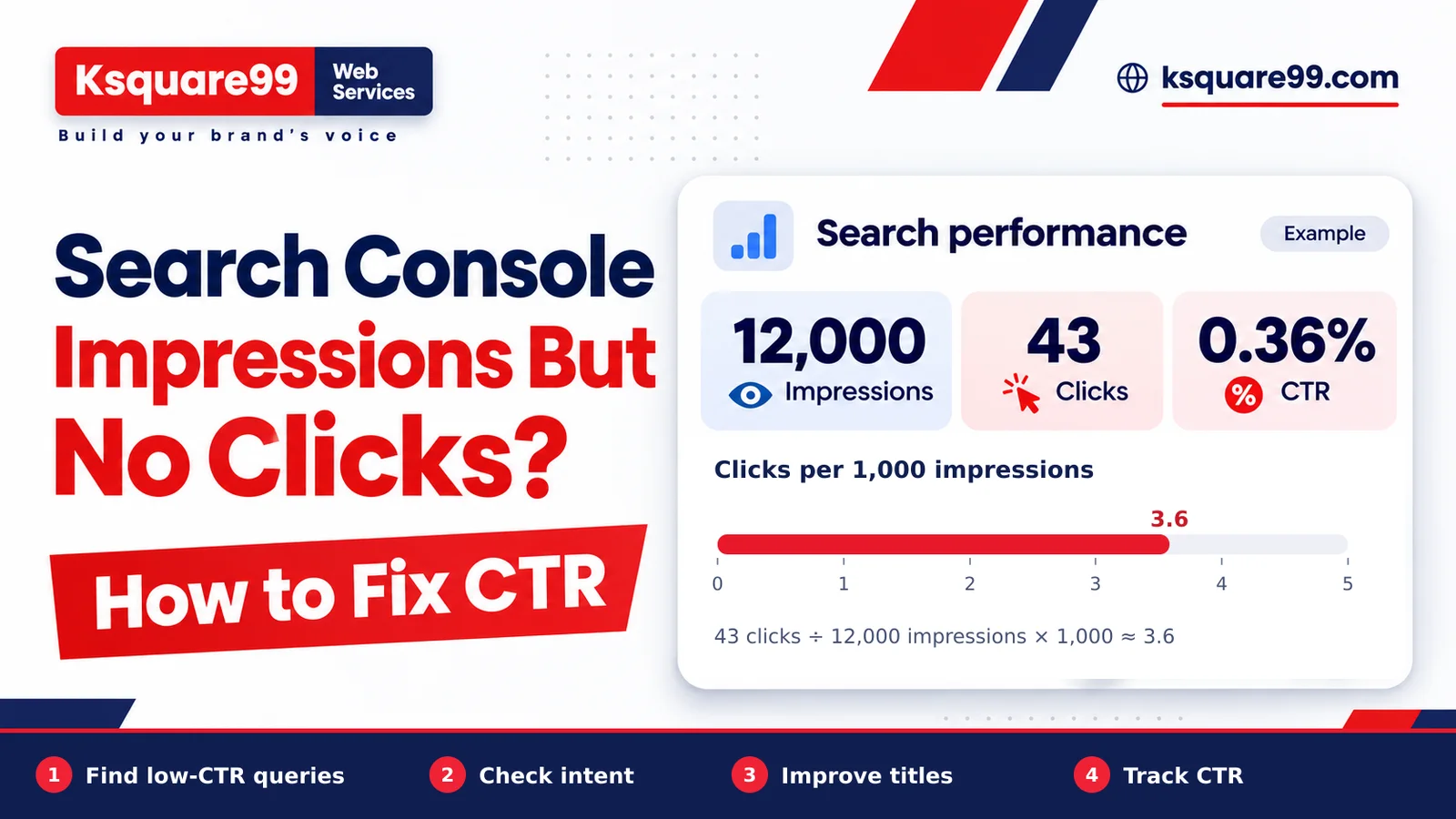
You open Search Console and the impressions graph looks great. Twelve thousand last month. Then you look at clicks. Forty-three.
We see this almost every week when a new client sends us their Search Console access. Usually the first question is, "Is Google hiding my website?" No, it isn't. Google is showing your page. People just aren't picking it.
That's a click-through rate (CTR) problem, and it's one of the more fixable problems in SEO. But you have to find the real reason first, and in 2026 there are more possible reasons than there used to be.
Here's some context before we get into it:
1.) Good CTR benchmark - [Across 422,000+ websites, a good overall organic CTR usually sits somewhere between 1% and 2%, so 1.5% isn't automatically bad. Source: Ahrefs.]
2.) AI Overviews cut clicks - [When Google shows an AI Overview, the page in position one gets about 58% fewer clicks on average. Source: Ahrefs.]
3.) Being cited wins clicks back - [Pages cited inside an AI Overview earn around 35% more organic clicks than pages that aren't cited. Source: Seer Interactive.]
4.) Search Console over-counted impressions - [From 13 May 2025 to 27 April 2026, a logging bug inflated impressions. Google fixed it going forward, but the old numbers were never corrected. Source: Search Engine Land.]
That last point matters more than most people realise. Some "CTR drops" were never real.
Below, we'll walk through what an impression actually means, why people scroll past your result, how we check this in Search Console, and the fixes that tend to work.
Quick Answer: Why Do I Get Impressions But No Clicks?
High impressions with very few clicks means Google is showing your page, but searchers are choosing other results. The usual causes are a position below the top five, an AI Overview or SERP features answering the query first, a weak title or meta description, or a page that does not match search intent. Check your data first, then fix rankings, intent and snippets in that order.
What Does an Impression Actually Count?
This is where a lot of confusion starts. An impression doesn't mean someone looked at your result. It means your link was on a results page that loaded.
Google's own help page on impressions, position and clicks explains this, and also how average position works. It's the average of your highest position across all those impressions.
So if your page sits at position 9, below the fold on a phone, it still picks up an impression every time someone searches. Nobody may have scrolled that far. Big impression numbers tell you Google is testing you. They don't tell you people saw you.
Why People See Your Page but Don't Click
In our experience, it's almost always one of these seven things. Sometimes two or three at once.
1. You're not ranking high enough yet
Most clicks go to the top few results. A page sitting at position 7, 12 or 18 can collect thousands of impressions and hardly any clicks. If your average position is worse than 10, don't start with the title tag. Start with rankings.
2. Google's AI Overview answered the question already
For "what is" and "how to" searches, Google often gives the full answer at the top of the page. Why would anyone click? Ahrefs found that this click loss shows up across all of page one, not just position one.
It's not only AI Overviews, either. Seer Interactive saw organic CTR fall even on searches with no AI Overview, which points to people simply clicking less than before (Search Engine Land).
3. Ads and SERP features are taking the space
Ads, featured snippets, People Also Ask, map packs, videos, product grids. On mobile, all of this can push a position 3 result so far down it feels like position 8.
4. Your title and description don't give a reason to click
When your title looks like the five others around it, people skip it. If it's vague, cut off, or doesn't match the search, Google may even rewrite it for you, and usually not the way you'd like.
5. The page doesn't match what the searcher wanted
We see this a lot with service pages. A page selling technical SEO ranks for "what is technical SEO". It gets impressions, but the searcher wanted a simple explanation, not a pricing page, so they click something else.
6. You're showing up for someone else's brand
If you rank for a competitor's brand name, those impressions are never going to turn into clicks for you. That's normal. Filter them out before you judge your CTR.
7. The data itself was off
Two reporting changes have messed with Search Console numbers recently:
- September 2025, the num=100 change: Google stopped supporting a URL trick that rank-tracking tools used to load 100 results at once. Lots of sites saw impressions drop and average position "improve" overnight. Those were bot impressions being removed, not real users (Search Engine Land).
- May 2025 to April 2026, the logging bug: Google confirmed impressions were over-reported for about 50 weeks. Clicks were fine, but CTR and average position were affected because they depend on impressions (Search Engine Land).
So if you're comparing this year's CTR with last year's and panicking, check the dates first. You may be comparing real data with inflated data.
How We Check Low CTR in Search Console
This is roughly the process our team follows when a client says, "We get impressions but no clicks." It takes about 20 minutes per site.
- Pick a fair date range. Go to Performance > Search results and choose the last 3 months. If you want a year-on-year comparison, only use dates after 27 April 2026, otherwise the logging bug will skew it.
- Switch on all four boxes. Clicks, Impressions, CTR and Average position. You need all four on screen.
- Go to the Pages tab and sort by impressions. Look for pages with lots of impressions and a CTR clearly lower than the rest of the site.
- Shortlist the ones that should be getting clicks. We usually keep pages with an average position between 1 and 10 and at least 500 impressions. The rest can wait.
- Click into each page and open Queries. Read the list honestly. Does the page really answer these searches?
- Google the top two or three queries yourself. Use an incognito window, ideally on your phone. Is there an AI Overview? Ads? A map pack? Where does your result actually land on the screen?
Once you've done that, this table helps you decide where to start:
| Average position | What's usually going on | Fix this first |
|---|---|---|
| 1 to 3, but low CTR | AI Overview, SERP features, or a weak snippet | Title, meta description, schema, getting cited in the AI Overview |
| 4 to 10 | You're visible, just not convincing | Title and description, then make the content better |
| 11 to 20 | Mostly page two, so very few real eyes | Rankings: content depth, internal links, backlinks |
| 20+ | Barely visible, or old inflated data | Leave CTR alone for now; check intent and rankings |
8 Fixes That Actually Move CTR
1. Rewrite the title for the person searching
Put the main keyword near the start and stay under about 60 characters. Then give people a reason to choose you: a number, the year, or a clear result. "CTR Tips" says nothing. "Impressions But No Clicks? 8 Ways to Fix CTR in 2026" tells the reader exactly what they'll get.
2. Treat the meta description like a short ad
Around 150 to 155 characters is plenty. Use the searcher's words, say what's on the page, and give one reason to click. Google doesn't always use it, but a good one gets picked far more often than a lazy one.
3. Give people the type of page they wanted
If the search is "how to", they want a guide. If it's "price" or "near me", they want prices or a location. When a page ranks for the wrong kind of search, it's often better to create a separate page for it and link the two.
4. Add schema markup
Structured data can get you review stars, breadcrumbs, product info or video thumbnails in the results. That makes your listing bigger and harder to ignore. Our schema markup and entity SEO service goes into this in more detail.
5. Write so Google can quote you
Answer the main question in 40 to 60 words, right under a heading that asks it. Use short steps, lists and simple tables. Pages like this are easier to pull into featured snippets and AI Overviews, and being cited is one of the few ways to win clicks back.
6. Don't put all your eggs in informational keywords
"What is" searches are where AI Overviews show up most. Searches with buying intent, like "SEO packages in Delhi" or "best CRM for small business", still send good clicks. A mix of both is safer, and an AEO strategy helps you plan for each.
7. Push pages from positions 8 to 20 higher
For these pages, polishing the title won't do much. Refresh the content, add internal links from your stronger pages, fix page speed, and build a few relevant backlinks. Moving from position 9 to position 4 can easily multiply your clicks.
8. Change one thing, then wait
Edit one page at a time and write down the date. Give it four to six weeks, then compare CTR with the same number of weeks before the change. If it worked, apply the same idea to similar pages. If it didn't, try something else.
When Low CTR Isn't Worth Worrying About
Honestly, not every low-CTR page needs fixing. Some pages build awareness through AI Overviews even when nobody clicks. Competitor brand searches, very broad keywords and page-two rankings will always have low CTR. Spend your time on page-one pages where the search actually matches what you offer.
Wrapping Up
If Google is showing your page, half the work is already done. Google trusts it enough to put it in front of people. What's missing is the reason for someone to click.
Start with clean data. Find your page-one pages with weak CTR. Fix the title, the description, the intent and the schema. For pages lower down, work on rankings first, because no title tag will rescue a page on page two.
And keep in mind that search itself has changed. These days you want to be the result people click and the source AI Overviews quote. If you'd like a second pair of eyes on your Search Console data, talk to the Ksquare99 team or have a look at our SEO audit services.
Frequently Asked Questions
Why does Search Console show impressions but no clicks?
Your page is showing up, but people are choosing other results. The usual reasons are a low position, an AI Overview answering the question, a weak title or description, or a page that doesn't match what the person was looking for.
What's a good CTR in Google Search Console?
For a whole site, 1% to 2% is normal in most industries. A single page in the top three should usually do much better, unless an AI Overview or other features sit above it.
Do AI Overviews really reduce clicks?
Yes. Studies from Ahrefs and Seer Interactive both show big CTR drops on searches that trigger AI Overviews. Getting your page cited in the overview helps win some of those clicks back.
Why did my impressions suddenly drop?
Two common reasons: Google's num=100 change in September 2025, and the fix for the impressions logging bug in April 2026. Both lowered reported impressions without touching real clicks.
How long until CTR changes show up?
Title and description changes usually show results within two to six weeks, once Google recrawls the page. Ranking improvements take longer, often a few months.