
 Book a call with us (30 Minute Meeting)




 Krishna Mishra
 21 November 2026
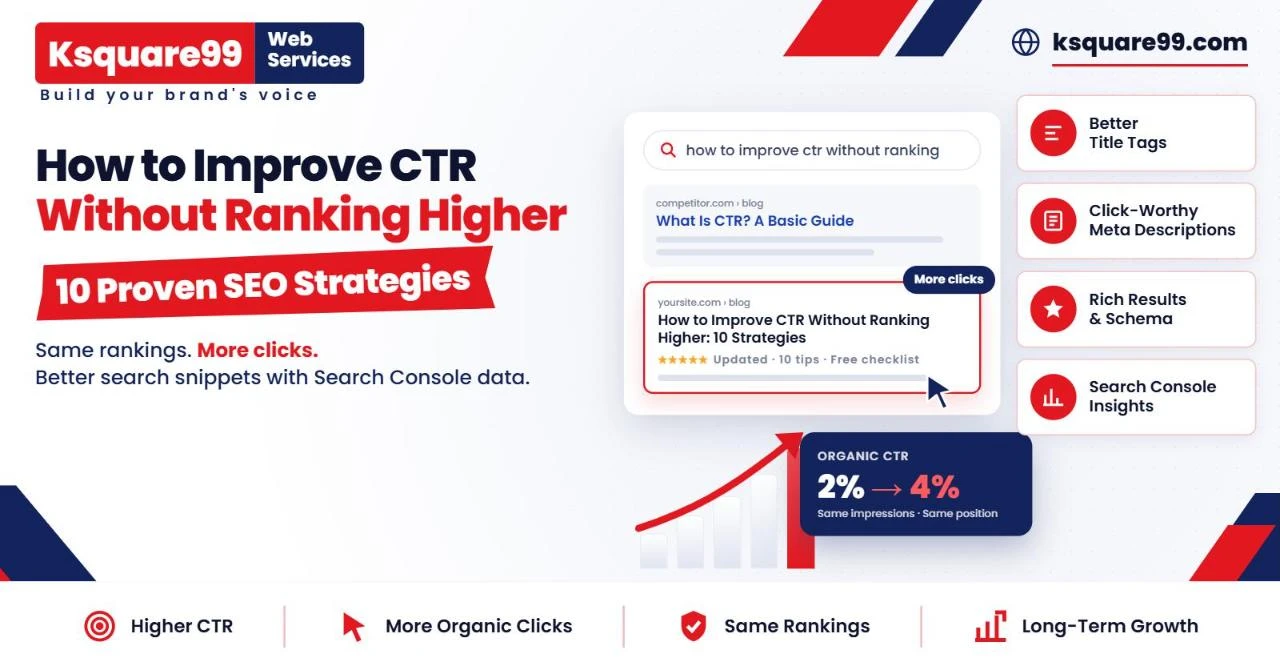
How to Improve CTR Without Ranking Higher
Get more organic clicks from the rankings you already have with better titles, sharper meta descriptions, smarter snippets and real Search Console data.
Ranking on page one feels like the finish line. It isn't. A page can hold position three for months, collect thousands of impressions in Google Search Console and still send only a trickle of visitors. The ranking is there. The clicks aren't.
That gap is your organic click-through rate (CTR), and it is one of the few SEO levers you can pull without new backlinks, a site migration or months of waiting. If people already see your listing, the real question is: why are they choosing someone else?
1.) Top organic results win the biggest share of clicks - [The first organic result averages about 39.6% CTR, dropping to 18.4% at position two and 10.1% at position three. Source: First Page Sage study, cited by Semrush.]
2.) Position one does not guarantee clicks - [An analysis of 4 million Google results found the #1 organic result averages a 27.6% CTR. Source: Backlinko, Google CTR study.]
3.) AI Overviews are taking clicks from top-ranking pages - [The presence of an AI Overview was associated with a 58% lower CTR for the top-ranking page across 300,000 keywords. Source: Ahrefs, February 2026.]
4.) Branded searches hold up better - [Branded queries saw a CTR increase when AI Overviews appeared, while non-branded queries lost clicks. Source: Amsive data, reported by Search Engine Land.]
This guide shows you how to improve CTR without ranking higher. You'll learn how to find pages that underperform on clicks, diagnose the cause and fix the parts of your search listing you actually control: titles, descriptions, intent match, structured data and brand signals. We'll also cover how to measure results honestly, because a CTR win only counts if it holds up against ranking changes and turns into real business outcomes.
What Is Organic CTR in SEO?
Organic CTR is the percentage of people who click your unpaid search result after seeing it. Google Search Console calculates it as clicks divided by impressions.
CTR = (Clicks ÷ Impressions) × 100
Four metrics work together here:
Impressions: how often a link to your site appeared in Google results.
Clicks: how often someone clicked through from Google to your site.
Average position: Search Console records the topmost position your link held and averages it across impressions, so 4.3 is an average, not a fixed spot.
Traffic: clicks are close to your organic sessions, but Google Analytics numbers rarely match exactly because of consent banners and tracking differences.
Practical example: your page appears 8,000 times in a month and earns 160 clicks. 160 ÷ 8,000 × 100 = 2% CTR.
Whether 2% is good depends almost entirely on position. A First Page Sage study cited by Semrush puts average CTR at about 39.6% for position one, 18.4% for position two and 10.1% for position three. Backlinko's analysis of 4 million results found 27.6% for the top spot. Studies disagree because their methods differ, so treat these as rough context and benchmark against your own Search Console data.
Why Your Website Gets Impressions but Not Enough Clicks
If you're asking "why is my website ranking but not getting clicks?", the cause usually sits in one of six places.
Your Title Tag Does Not Match Search Intent
Someone searches "CRM pricing for small business" and sees your title: "Our CRM Platform | BrandName". They wanted prices, so they skip you. Titles that describe your product instead of answering the query lose clicks even at strong positions.
Your Meta Description Does Not Communicate Value
A vague or missing description gives searchers no reason to choose you. Google also builds snippets mainly from page content and uses your meta description only when it describes the page better. A weak description often gets replaced by a random line from your page.
Competitors Have More Compelling Search Snippets
Search results are a comparison. If the listing above you shows a price, a star rating or an updated date and yours shows none, you lose the click before anyone reads a word.
Your Search Result Lacks Differentiation
When eight results all say "The Ultimate Guide to X", none of them stand out. A specific angle, such as a checklist, a template or a cost breakdown, gives searchers a reason to pick yours.
SERP Features Are Taking Attention Away From Organic Listings
Ads, AI Overviews, featured snippets, People Also Ask boxes, local packs and videos all push organic results down the page. Ahrefs' February 2026 study of 300,000 keywords found that AI Overviews were associated with a 58% lower CTR for the top-ranking page. Your position can stay the same while your clicks fall.
Your Page Appears for Irrelevant Search Queries
A page can earn impressions for loosely related queries it will never satisfy. Those impressions inflate the denominator and drag CTR down. This isn't always a problem, but it can make a healthy page look broken.
How to Find Pages With Low CTR Using Google Search Console
You don't need paid tools to start. Here is how to improve CTR in Google Search Console, step by step.
Open the Google Search Console Performance Report
Go to Performance → Search results. Turn on all four metrics: Total clicks, Total impressions, Average CTR and Average position. The default view covers three months; keep the search type set to Web.
Identify High-Impression and Low-CTR Pages
Open the Pages tab and sort by impressions. Pages with large impression counts and low CTR are your biggest opportunities, because even a small lift multiplies across many searches. Google's own guidance suggests reviewing low-CTR pages and improving their title and snippet.
Compare CTR With Average Search Position
A 2% CTR at position nine is normal. A 2% CTR at position two is a red flag. Export the Pages table to Google Sheets, add an "expected CTR" column based on your site's own average CTR at each position, and flag pages performing well below it.
Analyze Queries at the Individual Page Level
Click a page, then open the Queries tab. Check whether the top queries match what the page actually offers, and separate branded from non-branded searches. Branded queries usually have much higher CTR and can hide weak performance on non-branded terms.
Segment Performance by Mobile, Desktop and Country
Use the Devices and Countries tabs. A page might do well on desktop but poorly on mobile, where titles truncate sooner. A country with different search behaviour can also pull the average down.
Identify Opportunities for Title and Description Optimization
Shortlist pages that meet all three conditions: steady impressions, an average position between roughly 1 and 10, and CTR clearly below your benchmark for that position. Those are pages where the listing, not the ranking, is the problem.
Real Google Search Console example: more clicks at the same ranking. These figures come from the Search Console account of a refurbished electronics e-commerce store that KSquare99 works with (client name withheld). Here is October compared with September 2026 for two of its pages:
| Page | Clicks (Sep → Oct) | Impressions (Sep → Oct) | CTR | Avg. position |
|---|---|---|---|---|
| All refurbished smartphones category | 5,611 → 7,015 (+25%) | 185,783 → 199,562 (+7%) | 3.02% → 3.52% | 4.0 → 4.0 |
| Sell your old phone page | 16,480 → 19,488 (+18%) | 474,194 → 522,517 (+10%) | 3.48% → 3.73% | 6.0 → 6.3 |
Together, these two pages earned 4,412 more clicks in October than in September. The smartphones category held exactly the same position, yet its clicks grew more than three times faster than its impressions (25% vs 7%). The sell page even slipped slightly, from 6.0 to 6.3, and still grew clicks faster than impressions. In both cases, a higher CTR delivered the extra traffic.

Screenshot 1: Search Console, all refurbished smartphones category, October vs September 2026. Position 4 in both months; clicks 5.61K → 7.02K, CTR 3% → 3.5%.

Screenshot 2: Search Console, sell your old phone page, October vs September 2026. Clicks 16.5K → 19.5K, CTR 3.5% → 3.7%, position 6 → 6.3.
10 Proven Strategies to Improve CTR Without Ranking Higher
1. Write Compelling and Keyword-Relevant SEO Titles
Your title is the headline of your search listing. Google generates title links automatically, drawing on your title element, your main on-page heading, anchor text and other signals. Your title tag remains your strongest influence.
Why it matters: the title is the first and often the only thing searchers read.
How to do it:
Put the main query near the start.
Aim for roughly 50–60 characters to reduce truncation. Google cuts by display width, not a fixed character count.
Keep the title and H1 aligned so Google is less likely to rewrite it.
Write a unique title for every page and keep the brand name short.
Example (illustrative): "Men's Running Shoes | StoreName" becomes "Men's Running Shoes: 120+ Styles, Free Returns | StoreName".
Avoid: strings of keywords, identical boilerplate across pages and titles that oversell the page.
2. Write Meta Descriptions That Encourage Clicks
The meta description is your pitch below the title. Google's Martin Splitt has said meta descriptions aren't used for ranking, so you can rewrite them freely to win clicks.
Why it matters: a clear description helps searchers decide your page is the right one, and Google is more likely to use it when it accurately summarises the page.
How to write meta descriptions that get clicks:
Summarise what the page delivers, in plain words.
Include concrete details: price ranges, timeframes, formats, who it's for.
Put the key point first. Google has said there's no fixed length limit, but snippets are truncated to fit the device.
Write a unique description for each important page.
Example (illustrative): "Compare 12 CRM tools for small teams by price, features and setup time. Includes a free comparison sheet."
Avoid: keyword stuffing, one description copied sitewide and promises the page doesn't keep.
3. Match Search Intent More Accurately
Search intent is what the searcher actually wants: to learn, compare, buy or find a specific site.
Why it matters: a perfect title can't save a page that offers the wrong thing.
How to do it: search your target query and note the format of the top results (lists, tools, product pages, comparisons). If most results are comparison lists and yours is a product page, the content, not just the title, needs to change. Then reflect the intent directly in the title: "pricing", "examples", "template", "vs".
Avoid: forcing a sales page into an informational SERP.
4. Use Numbers, Benefits and Specificity in Headlines
Specific titles signal concrete value. "10 Ways", "in 15 Minutes" or "Under ₹50,000" tell searchers exactly what they'll get.
Why it matters: specificity separates you from generic listings on the same page.
How to do it: lead with the outcome the reader wants, add a number when the content truly contains one, and add the current year only if the page has genuinely been updated.
Example (illustrative): "Tips for Faster Websites" becomes "Website Speed: 9 Fixes That Cut Load Time on WordPress".
Avoid: invented figures, inflated claims and stale years in the title.
5. Optimize Your Content for Featured Snippets and SERP Visibility
When a featured snippet or AI Overview sits above you, being the cited source is the best way to stay visible.
Why it matters: these features take attention from standard listings, so earning a place inside them protects your share of clicks.
How to do it:
Place a short, direct answer (many SEOs aim for roughly 40–60 words) right below a question-style heading.
Use numbered steps, short lists and tables for process and comparison queries.
Cover follow-up questions from People Also Ask.
Build clear, well-structured, citable content for AI search. KSquare99's Answer Engine Optimization (AEO) services focus on exactly this.
Avoid: answering everything so completely in the snippet that nobody needs to click. Keep the depth on the page.
6. Implement Relevant Structured Data
Structured data (schema markup) labels your content so Google can understand it and, sometimes, display rich results such as prices, availability, ratings or breadcrumbs.
Why it matters: rich results take more space and give searchers extra reasons to click.
How to do it:
Use schema types that match your content: Product, Review, Breadcrumb, Organization, Video, Article.
Follow Google's general structured data guidelines and validate with the Rich Results Test.
Keep marked-up data consistent with what's visible on the page.
Reality check: Google states that it doesn't guarantee rich results even with correct markup. HowTo rich results were deprecated in 2023, and Google's own documentation confirms that FAQ rich results stopped appearing in Search from May 2026. Need help? See KSquare99's schema markup and entity SEO services.
Keep the markup accurate. During an audit for the same e-commerce client, we found an iPhone 13 product page that showed as available to shoppers while its Product schema said "OutOfStock". A mismatch like that can keep a page out of product results it would otherwise qualify for. Check the stock, price and availability in your schema against the live page, especially on e-commerce sites where stock changes daily.
Avoid: marking up content that isn't on the page, or fake reviews.
7. Improve Brand Recognition and Trust Signals
People click brands they recognise. Trust shows up in your site name, favicon, reviews and how consistently your brand appears across the web.
Why it matters: Amsive's research found branded queries saw a CTR increase when AI Overviews appeared, while non-branded queries lost clicks. Familiarity holds up even as results get more crowded.
How to do it: use a consistent brand name in titles, set up Organization structured data, keep your Google Business Profile and reviews active, earn mentions in relevant publications and show author credentials on content.
Avoid: buying or fabricating reviews. It damages trust and breaks platform policies.
8. Optimize for Mobile Search Results
On phones, screens are narrow, so ads, AI Overviews and other SERP features fill more of the first screen.
Why it matters: a title that reads well on desktop may lose its key words on mobile.
How to do it: compare mobile and desktop CTR in Search Console, front-load the important words in titles and descriptions, and check how your listing looks on a real phone. Make sure the page itself loads fast, so the click turns into a visit rather than a quick exit.
Avoid: assuming desktop performance represents all users.
9. Analyze Competitor Search Snippets
Your listing is judged against the nine next to it. SEO consultant Aleyda Solis recommends reviewing the titles and descriptions of everyone ranking for your target queries.
How to do it: search your top queries in a private window, set to your target location. Note patterns: numbers, years, prices, ratings, formats, emotional hooks. Then find the gap: what is everyone missing that your page offers?
Example (illustrative): if every competitor says "guide", lead with "free template" or "cost breakdown", provided your page actually has it.
Avoid: copying competitor titles. Matching them makes you blend in.
10. Test and Refine Your SEO Titles and Descriptions
CTR optimization is an ongoing cycle of changing, measuring and refining, not a one-time fix.
Why it matters: Google itself notes it can be hard to prove a specific change caused an improvement, because unrelated events also affect performance.
How to do it:
Change one element at a time (title or description, not both).
Record the date and the old version.
Compare equal time windows (for example, 28 days before and after) covering the same days of the week.
Check that average position stayed roughly stable. If it moved, the CTR change may come from ranking, not your copy.
Test messages faster with Google Ads copy, as Search Engine Land suggests, then carry winners into organic titles.
Avoid: judging results after three days or during seasonal spikes.
How Much Traffic Can You Gain by Improving CTR?
Here is a simple illustrative example:
| Metric | Before | After |
|---|---|---|
| Impressions | 10,000 | 10,000 |
| CTR | 2% | 4% |
| Clicks | 200 | 400 |
Impressions and ranking stay the same. Only the listing changed, yet clicks doubled, giving 200 additional clicks from searches you were already appearing for. Apply that across 20 or 30 pages and the gain becomes significant, often at a fraction of the cost of moving up one position through link building.
This is a hypothetical example, not a guaranteed outcome. Real gains depend on your position, SERP features, competition and how far below its benchmark the page started.
The same math on real data: our e-commerce client's all-smartphones category page held an average position of 4.0 in both September and October 2026. Its CTR rose from 3.02% to 3.52%, and that alone, together with a 7% rise in impressions, took it from 5,611 to 7,015 clicks: 1,404 extra clicks in a single month with no ranking gain.
Common CTR Optimization Mistakes to Avoid
Using Clickbait Titles
Titles that overpromise might earn a click, but visitors leave when the page doesn't deliver. That hurts trust and conversions.
Stuffing Keywords Into Meta Descriptions
Repeated keywords read as spam to humans, and Google may ignore the description and pull text from your page instead.
Changing Multiple SEO Elements Simultaneously
If you change the title, description, content and schema in one go, you can't tell what worked. Isolate your changes.
Ignoring Search Intent
No wording can fix a page that offers the wrong thing. Fix the content first when intent doesn't match.
Comparing CTR Without Considering Ranking Position
Comparing a position-two page with a position-eight page is meaningless. Always benchmark CTR against position.
Expecting Structured Data to Guarantee Rich Results
Schema makes a page eligible for rich results, not entitled to them. Google decides what to display.
Ignoring Conversions While Chasing More Clicks
More clicks from the wrong audience don't grow a business. Measure leads, sales and sign-ups alongside CTR.
How to Measure the Success of Your CTR Optimization Strategy
Monitor Organic Clicks and Impressions
Track both in Search Console. Rising clicks with stable impressions is the clearest sign that your listing improved.
Track CTR Changes at Query and Page Level
Sitewide CTR hides detail. Filter by the specific page and its main queries to see what actually changed.
Monitor Average Position
If position improved at the same time, part of your CTR gain likely came from ranking. Note this honestly in your reports.
Compare Performance Before and After Optimization
Use Search Console's date comparison with equal-length periods, and keep a change log so results can be tied to specific edits.
Measure Engagement and Conversions in Google Analytics 4
In GA4, open the Landing page report and filter for Organic Search traffic. Track engagement rate and key events (form submissions, purchases, calls) for each optimised page. A good CTR win brings in visitors who stay and act.
Final Thoughts: More Organic Clicks Don't Always Require Higher Rankings
You don't always need higher rankings to grow organic traffic. Start with Search Console, find pages ranking well but underperforming on clicks, and fix what searchers see: titles that match intent, descriptions that state real value, specific headlines, relevant structured data and a brand people trust.
Keep CTR in perspective, though. It doesn't guarantee better rankings, and it works best as part of a wider SEO strategy that includes solid content, technical health and visibility across AI search.
That's where KSquare99 can help. Our SEO services combine Search Console analysis, snippet optimization and content strategy, while our Generative Engine Optimization (GEO) and AEO work helps your brand appear in AI Overviews and answer engines. Not sure where your clicks are going? Book a free AI SEO audit with KSquare99 and we'll identify your highest-impact CTR opportunities.
Frequently Asked Questions
How can I improve CTR without increasing my Google rankings?
Find pages with high impressions and low CTR in Search Console, then rewrite their titles and meta descriptions to match search intent, add specific benefits, use relevant structured data and strengthen brand trust signals.
What is a good organic CTR for SEO?
It depends on position, query type and SERP features. Top positions can see CTRs in the 25–40% range in industry studies, while positions 8–10 often see low single digits. Compare against your own site's average CTR at each position.
Does improving CTR help Google rankings?
Not in a guaranteed way. Testimony from Google's Pandu Nayak at the US antitrust trial described a system called Navboost that uses click data, but Google doesn't publish exactly how clicks affect ranking. Treat CTR as a traffic win first.
How do I find low-CTR keywords in Google Search Console?
Open Performance → Search results, enable CTR and Average position, open the Queries tab and sort by impressions. Flag queries with strong positions but low CTR.
Do meta descriptions directly affect organic CTR?
They can. They don't affect rankings, but when Google shows your description, a clear and specific one helps searchers choose your result. Google may rewrite it based on the query.
How can I write SEO titles that get more clicks?
Put the main keyword near the start, match the searcher's intent, add a specific benefit or number, keep it around 50–60 characters and make it unique to the page.
Can schema markup increase organic click-through rates?
It can, when it produces rich results like prices, ratings or breadcrumbs. But Google doesn't guarantee rich results, and Google stopped showing HowTo rich results in 2023 and FAQ rich results in 2026.
How long does it take to see CTR improvements?
Google needs to recrawl the page first, which can take days to weeks. Allow at least 2–4 weeks of data before judging, longer for low-traffic pages.
Why is my website getting impressions but no clicks?
Common causes include a low average position, titles that don't match intent, weak descriptions, SERP features such as AI Overviews pushing your result down, or impressions for irrelevant queries.
What is the difference between organic CTR and conversion rate?
Organic CTR measures how many searchers click your result. Conversion rate measures how many visitors complete a goal, such as a purchase or enquiry, after landing. You need both to grow revenue.